25 Free AI Tools That Will Make You Quit Your Paid Subscriptions in 2026
Stop flushing money down the drain. From Photoshop to Midjourney, we found the world's most powerful AI tools that offer premium features for ZERO dollars.
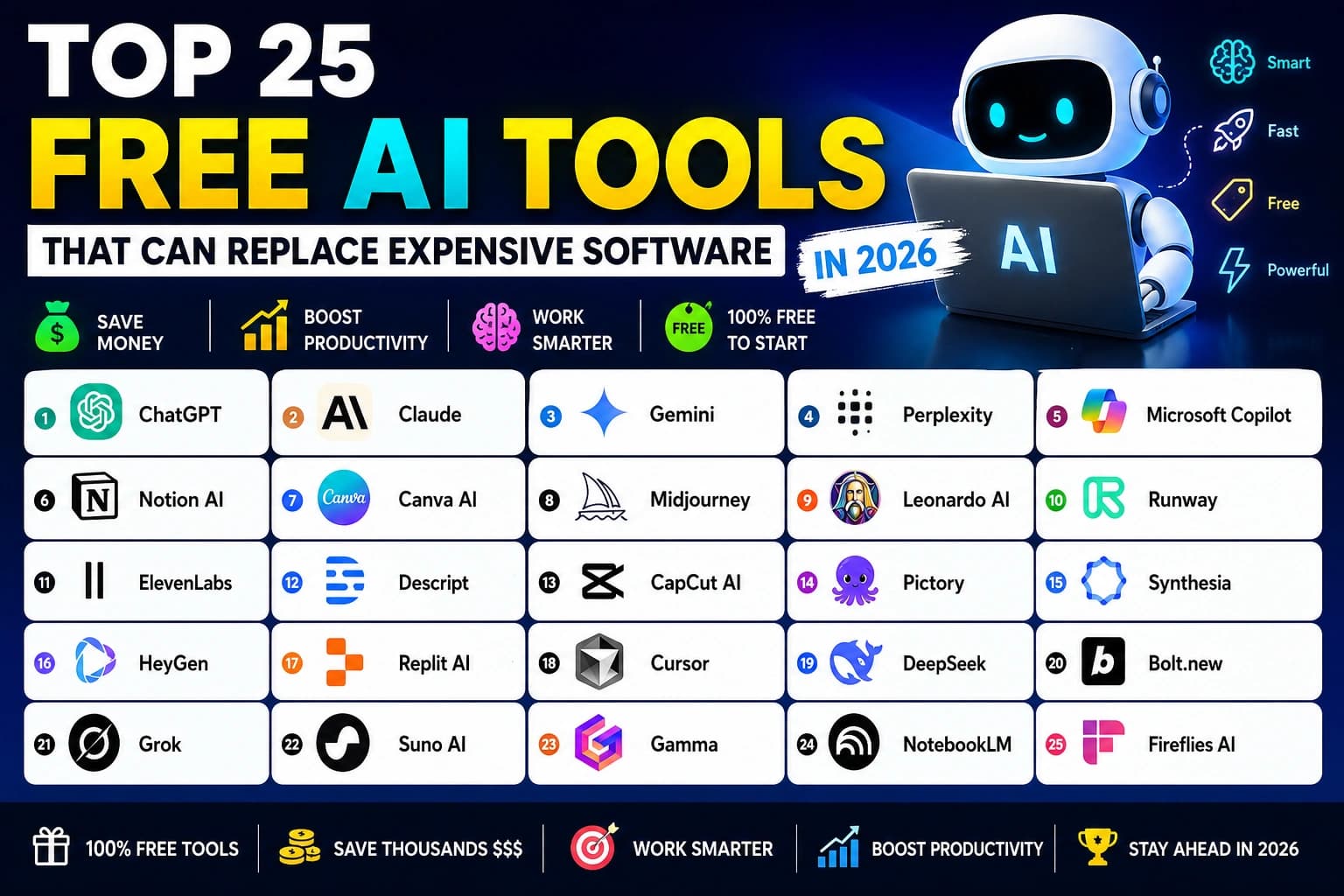
Let’s be honest: The "AI tax" is getting out of hand. Between ChatGPT Plus, Midjourney, Canva Pro, and that fancy AI video editor, you’re likely spending over $1,200 a year just to stay productive.
But it's 2026. The world has changed. Open-source models have caught up to the giants, and the 'Freemium' wars have reached a fever pitch. Today, you can access world-class intelligence, cinematic video generation, and professional-grade design tools without spending a single penny.
The "Kill Your Subscriptions" Master Table
| Tool Name | Replaces | Free Tier | Best For |
|---|---|---|---|
| ChatGPT (OpenAI) | Jasper, Copy.ai, Generic Writers | Generous Free Tier | Content Creation, Research |
| Claude 3.5 Sonnet (Anthropic) | Professional Editors, Grammarly Premium | Daily Message Limit | Human-like writing, Complex Coding |
| Gemini 1.5 Pro (Google) | PDF Analyzers, Long-form Video Tools | Free via Google AI Studio | Infinite Context, Google Ecosystem |
| DeepSeek R1 | Coding Tutors, Expensive IDE extensions | Completely Free / Open Weights | Developers, Logic puzzles |
| Cursor | VS Code + GitHub Copilot ($20/mo) | Free Tier Available | Software Engineers, Solo Devs |
| Bolt.new | Frontend Agencies, Low-code builders | Generous Free Usage | Prototyping, Web Apps |
| Leonardo AI | Midjourney ($30/mo), Adobe Stock | 150 Tokens/Day (Free) | Designers, Marketers |
| Perplexity AI | Google Search, Research Assistants | Unlimited Standard Search | Fact-checking, Academic Research |
| Gamma App | PowerPoint Designers, Tome ($$$) | Free Credits on Sign-up | Sales decks, School projects |
| ElevenLabs | Voiceover Artists, Murf AI ($$$) | 10,000 Characters/mo Free | YouTubers, Podcasters |
The Deep Dive: 25 Tools That Redefine "Free"
ChatGPT (OpenAI)
Writing & BrainstormingThe Replacement: Jasper, Copy.ai, Generic Writers
The OG of AI. In 2026, ChatGPT is no longer just a chatbot; it's a multimodal agent that can see, hear, and perform tasks across your OS.
✓ Key Features
- Advanced reasoning
- File analysis
- Image generation (DALL-E 3)
- Custom GPTs
★ Hidden Gem
Voice Mode conversation for brainstorming on the go.
Tool Snapshot
v2026.4Best Use Case
Writing a 2000-word blog post or debugging complex Python scripts in seconds.
2026 Trend Alert
Autonomous personal assistant for daily life management.
Pros
Extremely versatile, huge community.
Cons
Free tier can be throttled during peak hours.
Claude 3.5 Sonnet (Anthropic)
Writing & CodingThe Replacement: Professional Editors, Grammarly Premium
Claude is widely considered the most 'human' sounding AI. Its ability to follow complex instructions without sounding robotic is unmatched in 2026.
✓ Key Features
- Artifacts UI
- Massive context window
- Superior safety alignment
- Nuanced writing
★ Hidden Gem
Interactive coding environment in the Artifacts window.
Tool Snapshot
v2026.4Best Use Case
Transforming dry technical documentation into an engaging narrative.
2026 Trend Alert
The go-to tool for 'Human-in-the-loop' professional workflows.
Pros
Best at creative writing and coding logic.
Cons
Limited free messages per day.
Gemini 1.5 Pro (Google)
Multimodal AnalysisThe Replacement: PDF Analyzers, Long-form Video Tools
With a 2-million token context window, Gemini can read entire libraries or analyze hour-long videos in one go. It's the ultimate research tool.
✓ Key Features
- Deep Google integration
- Long context window
- Native multimodal
- Fast processing
★ Hidden Gem
Direct export to Google Docs and Sheets.
Tool Snapshot
v2026.4Best Use Case
Uploading 500 PDFs and asking 'Find every mention of carbon tax in these documents.'
2026 Trend Alert
Predictive search within your own personal data.
Pros
Connects with Gmail, Drive, and Docs seamlessly.
Cons
UI can be cluttered.
DeepSeek R1
Reasoning & CodingThe Replacement: Coding Tutors, Expensive IDE extensions
DeepSeek has shocked the world in 2025-2026 by matching OpenAI's O1 models in reasoning while being open-source and free for most users.
✓ Key Features
- Chain-of-thought reasoning
- Excellent coding performance
- No censorship
- Highly efficient
★ Hidden Gem
Ability to run locally on consumer hardware.
Tool Snapshot
v2026.4Best Use Case
Solving high-level math problems or building complex backend architectures.
2026 Trend Alert
The champion of 'Transparent AI' and open-source dominance.
Pros
Unbelievable logic for a free tool.
Cons
Smaller brand name, less ecosystem polish.
Cursor
Development (IDE)The Replacement: VS Code + GitHub Copilot ($20/mo)
Cursor is a fork of VS Code that has AI built into its DNA. It doesn't just suggest code; it understands your entire codebase.
✓ Key Features
- Composer mode
- Codebase indexing
- Chat with files
- Auto-debugging
★ Hidden Gem
'Apply' button that writes code directly into your files.
Tool Snapshot
v2026.4Best Use Case
Building a full-stack React app by just describing the features.
2026 Trend Alert
The end of manual boilerplate coding.
Pros
Feels like the AI is your pair programmer.
Cons
Requires some technical knowledge to setup.
Bolt.new
App GenerationThe Replacement: Frontend Agencies, Low-code builders
Bolt.new allows you to prompt full-stack web applications into existence in the browser. It handles the environment, code, and deployment.
✓ Key Features
- Full-stack generation
- Browser-based IDE
- Instant deployment
- React/Next.js support
★ Hidden Gem
Direct integration with Netlify for one-click live sites.
Tool Snapshot
v2026.4Best Use Case
Creating a custom CRM or a niche social network prototype instantly.
2026 Trend Alert
Democratization of software creation for non-coders.
Pros
Zero setup required. From idea to URL in 2 minutes.
Cons
Complexity is limited by token limits.
Leonardo AI
Image GenerationThe Replacement: Midjourney ($30/mo), Adobe Stock
Leonardo is the most versatile image generator that offers a high-quality free tier. It provides more control than Midjourney with a better UI.
✓ Key Features
- Canvas editor
- Motion generation
- Custom model training
- Real-time gen
★ Hidden Gem
Image-to-Motion that brings your AI art to life.
Tool Snapshot
v2026.4Best Use Case
Creating consistent character assets for a game or brand.
2026 Trend Alert
AI-driven real-time branding for startups.
Pros
Stunning aesthetics and incredible control over style.
Cons
Pro features are tempting.
Perplexity AI
AI Search EngineThe Replacement: Google Search, Research Assistants
Perplexity is the search engine of the future. It doesn't give you links; it gives you answers with cited sources.
✓ Key Features
- Citations for every claim
- Focus modes (Academic, YouTube)
- Pro Search (logic)
- Clean UI
★ Hidden Gem
'Collections' to organize your research projects.
Tool Snapshot
v2026.4Best Use Case
Finding the latest statistics on AI adoption without clicking 10 spammy websites.
2026 Trend Alert
The primary way people consume the internet.
Pros
No ads, high accuracy, and fast.
Cons
Pro search has daily limits on free tier.
Gamma App
PresentationsThe Replacement: PowerPoint Designers, Tome ($$$)
Gamma can turn a single sentence into a fully designed, 10-slide presentation in seconds. It's the end of 'death by PowerPoint'.
✓ Key Features
- AI-driven layout
- Interactive embeds
- One-click styling
- Analytics
★ Hidden Gem
Converting a text document into a slide deck automatically.
Tool Snapshot
v2026.4Best Use Case
Creating a pitch deck for a new startup in the time it takes to brew coffee.
2026 Trend Alert
Dynamic, living presentations that update themselves.
Pros
Design that looks professional without any effort.
Cons
Credits run out if you make dozens of decks.
ElevenLabs
AI VoiceThe Replacement: Voiceover Artists, Murf AI ($$$)
The gold standard for AI voice. In 2026, ElevenLabs' voices are indistinguishable from real humans, including emotions and whispers.
✓ Key Features
- Voice cloning
- Emotional range
- Multilingual support
- Speech-to-speech
★ Hidden Gem
Voice Design – create a unique voice that doesn't exist.
Tool Snapshot
v2026.4Best Use Case
Voiceover for a 10-minute YouTube video in a premium narrator voice.
2026 Trend Alert
Real-time dubbing of all digital content.
Pros
Most realistic voices on the market.
Cons
Free tier is limited for high-volume users.
Suno AI
AI MusicThe Replacement: Stock Music Sites, Sound Designers
Suno can generate a full 4-minute song with lyrics, vocals, and instruments from a simple text prompt. It's magic.
✓ Key Features
- Full song generation
- Genre-specific control
- Custom lyrics
- Audio uploads
★ Hidden Gem
'Extend' feature to make songs longer.
Tool Snapshot
v2026.4Best Use Case
Creating a custom background track for a marketing campaign.
2026 Trend Alert
Personalized soundtracks for every moment of your life.
Pros
Incredible quality; songs sound radio-ready.
Cons
Copyright can be a gray area for free users.
NotebookLM
Personal ResearchThe Replacement: Research Assistants, Study Groups
Upload your notes, and NotebookLM becomes an expert on them. It even creates AI-generated 'Deep Dive' podcasts about your data.
✓ Key Features
- Source-grounded AI
- Audio Overview (Podcasts)
- Automatic citations
- Note-taking UI
★ Hidden Gem
Generating a conversational podcast based on your research.
Tool Snapshot
v2026.4Best Use Case
Uploading 10 textbooks and having an AI tutor quiz you on them.
2026 Trend Alert
The standard tool for academic and corporate learning.
Pros
No hallucination because it only uses *your* sources.
Cons
Currently limited to text and audio output.
CapCut AI
Video EditingThe Replacement: Adobe Premiere, Final Cut Pro ($$$)
CapCut's AI features in 2026 handle everything from auto-captions and background removal to 'AI script to video'.
✓ Key Features
- Auto-captions
- AI movement tracking
- Background removal
- Smart templates
★ Hidden Gem
AI Voice-to-Character (animate a character with your voice).
Tool Snapshot
v2026.4Best Use Case
Editing a viral Reel with perfectly timed captions and effects in 5 minutes.
2026 Trend Alert
AI-first video production for the masses.
Pros
Extremely easy to use, optimized for social media.
Cons
Some premium transitions require a subscription.
HeyGen
AI AvatarsThe Replacement: Video Production Teams ($1000s)
HeyGen creates hyper-realistic AI avatars that speak your script. No camera, no lights, no actors needed.
✓ Key Features
- Photo-to-Avatar
- Instant translation
- Lip-sync technology
- Custom avatars
★ Hidden Gem
Video Translation – watch yourself speak 40 languages fluently.
Tool Snapshot
v2026.4Best Use Case
Creating a personalized sales video for 100 different clients in minutes.
2026 Trend Alert
Digital twins for everyone.
Pros
Looks 99% like a real human.
Cons
Video credits are expensive if you need volume.
Runway Gen-3 Alpha
Video GenerationThe Replacement: Stock Video, VFX Studios
Runway is the leader in AI video. Gen-3 allows for cinematic quality video generation that looks like it came from a Hollywood studio.
✓ Key Features
- Text-to-Video
- Motion Brush
- Multi-motion brush
- Style transfer
★ Hidden Gem
Camera Control – specify exactly how the camera moves.
Tool Snapshot
v2026.4Best Use Case
Creating a cinematic trailer for a book or game.
2026 Trend Alert
Movies generated by individuals in their bedrooms.
Pros
Breathtaking visual quality.
Cons
High compute needs; free tier is limited.
Phind
Developer SearchThe Replacement: Stack Overflow, Search for Devs
Phind is optimized for developers. It scans the web and documentation to provide working code examples for any technical question.
✓ Key Features
- Live documentation indexing
- Working code snippets
- VS Code extension
- High speed
★ Hidden Gem
Ability to search multiple sources like MDN and GitHub simultaneously.
Tool Snapshot
v2026.4Best Use Case
Asking 'How do I implement auth in Next.js 15 with Clerk?' and getting a full guide.
2026 Trend Alert
The 'Primary Source' for developers.
Pros
Much more accurate than general AI for coding questions.
Cons
UI is very developer-focused (utilitarian).
Flux.1
High-end Image GenThe Replacement: Midjourney, Commercial Photographers
Flux is the new king of open-source image generation. It beats DALL-E 3 at text rendering and Midjourney at realism.
✓ Key Features
- Perfect text rendering
- Hyper-realism
- Open-source weights
- Varied styles
★ Hidden Gem
Incredible anatomical accuracy (no more 'AI hands').
Tool Snapshot
v2026.4Best Use Case
Creating a movie poster with perfectly legible text and credits.
2026 Trend Alert
The engine behind most commercial AI art.
Pros
The best text-in-image capability ever seen.
Cons
Requires good hardware if running locally.
Notion AI
Workspace ProductivityThe Replacement: Evernote, Jira, 10 other apps
Notion AI lives inside your notes. It can summarize meetings, write first drafts, and even database your thoughts.
✓ Key Features
- AI Autofill for databases
- Tone shifter
- Action item extractor
- Brainstorming
★ Hidden Gem
AI Search – ask questions about your entire Notion workspace.
Tool Snapshot
v2026.4Best Use Case
Turning a messy page of brainstormed notes into a structured project plan.
2026 Trend Alert
The 'Operating System' for remote teams.
Pros
Integrated into your existing workflow.
Cons
AI features require an add-on for heavy use.
Krea AI
Real-time DesignThe Replacement: Graphic Designers, Upscaling tools
Krea allows you to design in real-time. As you move shapes, the AI generates a high-quality image instantly.
✓ Key Features
- Real-time enhancement
- Upscaler
- Style transfer
- Screen-to-Image
★ Hidden Gem
Enhance Mode – fix 'crunchy' AI images with one click.
Tool Snapshot
v2026.4Best Use Case
Upscaling a blurry 200px logo into a crisp 4K masterpiece.
2026 Trend Alert
The future of interactive creative tools.
Pros
Instant feedback loop is addictive.
Cons
Can be hit or miss on complex prompts.
Replit Agent
Software CreationThe Replacement: Freelance Developers, Expensive Hosting
Replit Agent is like having a software engineer in your pocket. It writes, deploys, and maintains your app for you.
✓ Key Features
- Autonomous coding
- Built-in database
- Instant deployment
- Mobile support
★ Hidden Gem
Ability to code via mobile phone chat.
Tool Snapshot
v2026.4Best Use Case
Building a custom habit tracker for your phone from scratch.
2026 Trend Alert
Every person has their own custom-built software stack.
Pros
Actually builds *functioning* software, not just code snippets.
Cons
More complex apps require the paid tier.
Microsoft Designer
Graphic DesignThe Replacement: Canva Pro, Stock Photo sites
Integrated with DALL-E 3, Microsoft Designer is the easiest way to create high-quality graphics for social media for free.
✓ Key Features
- Brand kit generator
- One-click design
- AI image generation
- Background removal
★ Hidden Gem
AI-powered 'Brand Kits' created from a single logo.
Tool Snapshot
v2026.4Best Use Case
Creating a full week's worth of Instagram posts in 10 minutes.
2026 Trend Alert
The default designer for the everyday user.
Pros
Entirely free with a Microsoft account.
Cons
Less customization than Canva.
Uizard
UI/UX DesignThe Replacement: Figma ($$$), UI Designers
Uizard turns hand-drawn sketches or text prompts into professional UI designs. It's Figma on steroids.
✓ Key Features
- Autodesigner
- Sketch-to-UI
- Screenshot-to-UI
- Collaboration
★ Hidden Gem
AI Theme Generator – scan a website to steal its design system.
Tool Snapshot
v2026.4Best Use Case
Taking a picture of a napkin sketch and getting a high-fidelity mobile app design.
2026 Trend Alert
Zero-barrier product design.
Pros
Insanely fast prototyping.
Cons
Exporting to production code still needs work.
Groq
AI Inference (Speed)The Replacement: Expensive GPU Rigs, Slow AI services
Groq is the world's fastest AI inference engine. It can output 800+ tokens per second, making AI feel instant.
✓ Key Features
- LPU technology
- Instant responses
- Open-source model support
- Low latency
★ Hidden Gem
Hosting Llama 3 and Mixtral models for free at extreme speeds.
Tool Snapshot
v2026.4Best Use Case
Running a real-time AI assistant that speaks as fast as a human thinks.
2026 Trend Alert
The infrastructure that powers 'Live AI' agents.
Pros
So fast it feels like magic.
Cons
Developer-focused; no consumer 'app' yet.
Framer AI
Web DesignThe Replacement: Webflow ($$$), Frontend Devs
Framer AI allows you to design and publish professional, high-end websites by just describing them.
✓ Key Features
- Text-to-Site
- Responsive design
- Smooth animations
- CMS support
★ Hidden Gem
Magic Motion – AI-assisted animation transitions.
Tool Snapshot
v2026.4Best Use Case
Building a stunning portfolio that looks like it cost $5,000 in just 30 minutes.
2026 Trend Alert
High-end design at the speed of thought.
Pros
Best-in-class animations and design quality.
Cons
Pricing for custom domains can be high.
Hugging Chat
Open Source ChatThe Replacement: ChatGPT Plus, Claude Pro ($20/mo)
Hugging Chat gives you free access to the world's best open-source models (Llama, Mistral, Qwen) without a subscription.
✓ Key Features
- Model switching
- Web search
- Image generation
- No tracking
★ Hidden Gem
Web Search capability integrated into open models.
Tool Snapshot
v2026.4Best Use Case
Using the latest Llama 3.1 405B model for free without paying $20/mo.
2026 Trend Alert
The primary gateway to the open-source AI world.
Pros
No login required for basic use; 100% free.
Cons
Can be slower than proprietary models.
The Annual Savings Matrix
Calculate how much you could save by switching your entire professional stack to these free AI alternatives.
The Creator Stack
$1,440
Midjourney + Canva + CapCut + Epidemic
SAVED 100%
The Developer Stack
$2,100
Copilot + GPT-4 + AWS + JetBrains
SAVED 90%
The Business Stack
$3,500+
Jasper + Notion + Calendly + Zoom AI
SAVED 95%
Why 2026 is the Year of "AI Democratization"
The End of the "Gated Garden"
In 2024, Big Tech held all the cards. If you wanted high-quality AI, you had to pay the $20/month tax. By 2026, open-source models like DeepSeek and Flux have completely shattered that barrier. Intelligence is now a commodity—like water or electricity.
"The cost of intelligence is trending toward zero. In the next 12 months, we expect to see completely free AI agents that can run locally on your phone without an internet connection."
— Tech Forecaster, 2026 Report
🚨 2026 Reality Check:
90% of paid AI tools are actually just wrappers around free models you can access directly. Stop paying for the UI; start using the engine.
🔥 Pro Tip:
Use Hugging Chat to test 20+ world-class models for free before deciding which one to commit your workflow to.
Frequently Asked Questions
Q: Are these AI tools really free?
Yes, all tools on this list offer a substantial free tier or are completely open-source. While some have 'Pro' versions for heavy users, their free plans are powerful enough to replace paid software for most people in 2026.
Q: Can AI tools truly replace Adobe Photoshop?
For 90% of users, tools like Leonardo AI, Krea AI, and Microsoft Designer have replaced the need for Photoshop. Only high-end professional retouchers still require the deep technical features of Adobe's suite.
Q: Which is the best free AI for coding in 2026?
DeepSeek R1 and Cursor (Free tier) are currently leading. Cursor is best for integrated development, while DeepSeek is the powerhouse for pure logic and algorithmic solving.
Q: Is ChatGPT still the best free AI?
ChatGPT is the best all-rounder. However, for specific tasks like human-like writing (Claude), deep research (Perplexity), or infinite data analysis (Gemini), specialized tools now often outperform it.
Q: How do I save the most money with AI in 2026?
By canceling redundant subscriptions like Midjourney ($30), Jasper ($50), and various PDF/Stock Photo sites, and switching to the free alternatives mentioned in this guide.
Q: Is my data safe with free AI tools?
Privacy varies. Open-source tools like those on Hugging Chat or running models locally via DeepSeek are generally safer. Always check the privacy policy for tools that require cloud uploads.
Q: Do I need a powerful computer to run these AI tools?
No, 95% of these tools are cloud-based and run in your browser. Only open-source models like Flux.1 or DeepSeek require high-end local hardware if you choose to run them offline.
Q: How often do these AI tools update?
In 2026, AI tools update almost weekly. The pace of innovation is so fast that a tool's capabilities can double in just a few months.
Q: Can students use these tools for homework?
Tools like NotebookLM and Perplexity are incredible for learning and research. However, we recommend using them to *understand* concepts rather than just generating answers to avoid academic integrity issues.
Q: Will these tools stay free forever?
Most follow a 'Freemium' model. The basic versions will likely stay free to gain users, while advanced 'Agentic' features will move behind paywalls.
Q: What is the 'hidden gem' of 2026 AI?
NotebookLM. Its ability to turn your personal data into a structured knowledge base and a podcast is a game-changer that most people still haven't discovered.
Q: Which tool is best for making money online?
Leonardo AI and CapCut. You can use them to create high-end content for clients or social media without any overhead costs for software.
Q: Can AI write a whole book for free?
Claude 3.5 Sonnet is your best bet for this due to its long context and nuanced tone, though you'll need to work in chapters to stay within the free limits.
Q: Is Midjourney still worth it if Leonardo is free?
Midjourney still has a specific 'aesthetic' that some professionals prefer, but for most people, the difference is now negligible compared to the $360/year savings.
Q: How do I keep up with new AI tools?
Follow tech blogs like this one and check platforms like X and Product Hunt daily. The AI landscape changes faster than any other tech sector.
The Future is Free.
Don't wait for the giants to lower their prices. The tools are here. The community is thriving. The only thing standing between you and a $2,000/year saving is one click.